

Appearance
The map editor and mod tools
The game's places are built by a generator from open data: OpenStreetMap for the roads, buildings, water and land, national elevation models for the ground. Open data is never perfect, so the map editor is for fixing it by hand. It works over the generator's output and keeps your changes as a separate layer, so they survive rebuilding the place from newer data. The mod tools pack what you made into a mod that anyone can drop into their game.
Download
The editor and tools are on the downloads page for macOS, Linux and Windows (nowhereinparticular-tools-<version>-<platform>.zip), next to the game's. Each is a workspace folder with Głowno in it, built, ready to open. For now the generator and the mod tools need Python 3.11 or newer installed.
The workspace
Unzip the download anywhere. The folder is where the editor and tools work:
nip-editor (nip-editor.exe) | the map editor |
nip-gen (nip-gen.cmd) | the generator and the mod tools (the first run sets up its Python, once) |
regions/glowno/ | Głowno: its definition, its source data, and your edits (edits.geojson) |
build/regions/glowno/game/ | Głowno as the game reads it (what the editor's 3D view shows) |
mods/examples/ | example mods, as folders |
Finding your way
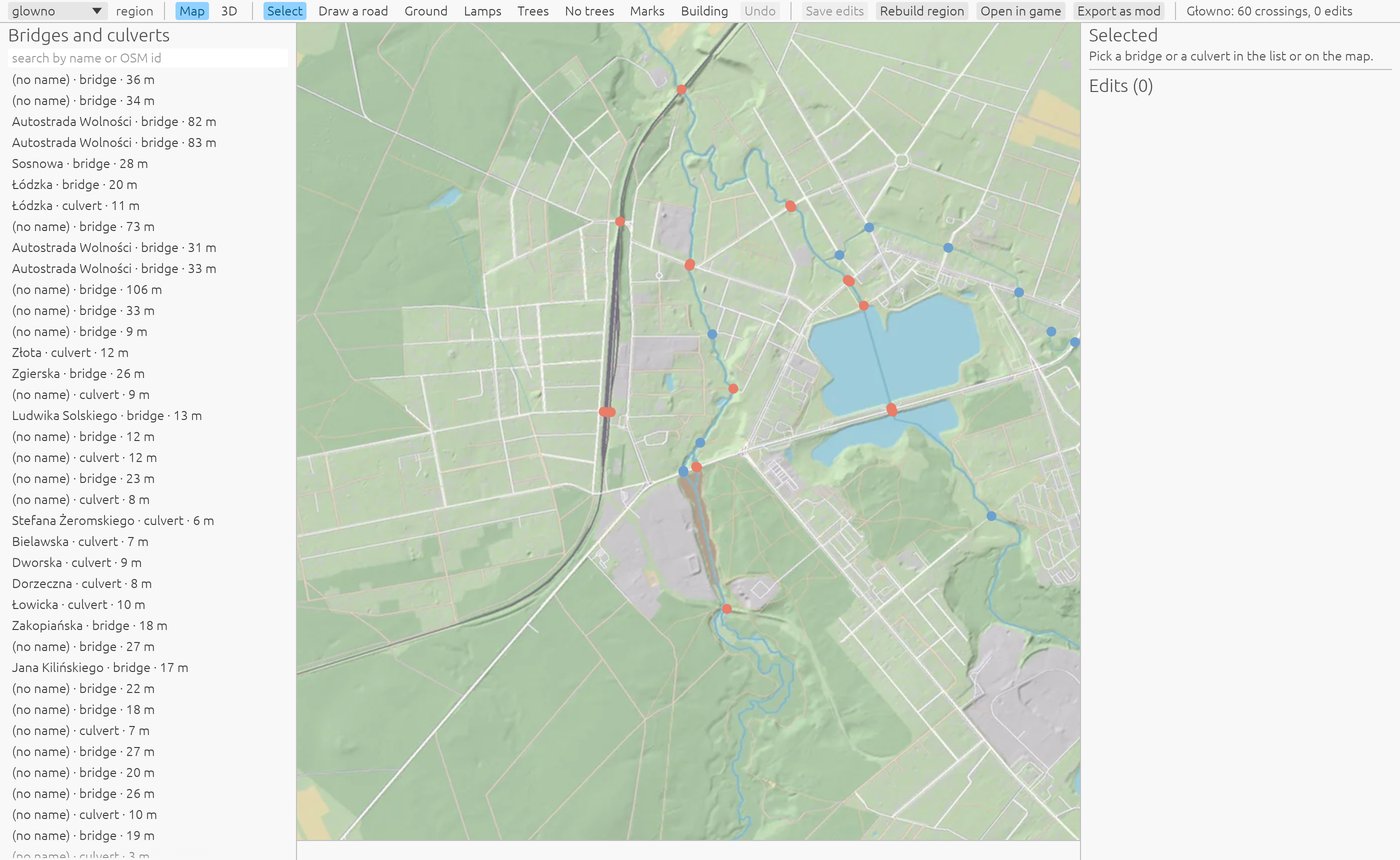
The map in the middle is the place as built: drag to move, the wheel to zoom. The list on the left has every bridge and culvert (search it by name or OpenStreetMap id); the panel on the right shows what's selected and the edits you've made. The toolbar picks a tool:
| Tool | What it does |
|---|---|
| Select | pick a road, a crossing, a building, a lamp or a tree, and change it; a junction's dot: its corners' radius, and whether its roads are one surface (on by default: no seams where they meet) |
| Draw a road | click to add points, double-click (or Enter) to finish |
| Ground | an area of ground to flatten, raise or lower, easing into the land around |
| Lamps, Trees | add or remove one; No trees keeps an area clear |
| Signals | add or take away a traffic light's pole (its head faces the way you set, or away from its junction, toward the traffic coming in; it keeps the junction's timing) |
| Marks | zebra crossings, stop and give-way lines where the map has none (or none where it has); a signals line at a junction gives it traffic lights at every road into it, and none takes them away |
| Building | draw a new building's outline |
Map and 3D switch the middle between the map and the built land around the selection. On the map, tunnels are dashed and traffic lights are small posts with a tick the way they face (green or amber: the two ways across, which take turns); in 3D, street lamps and traffic lights stand where the game puts them.
Roads
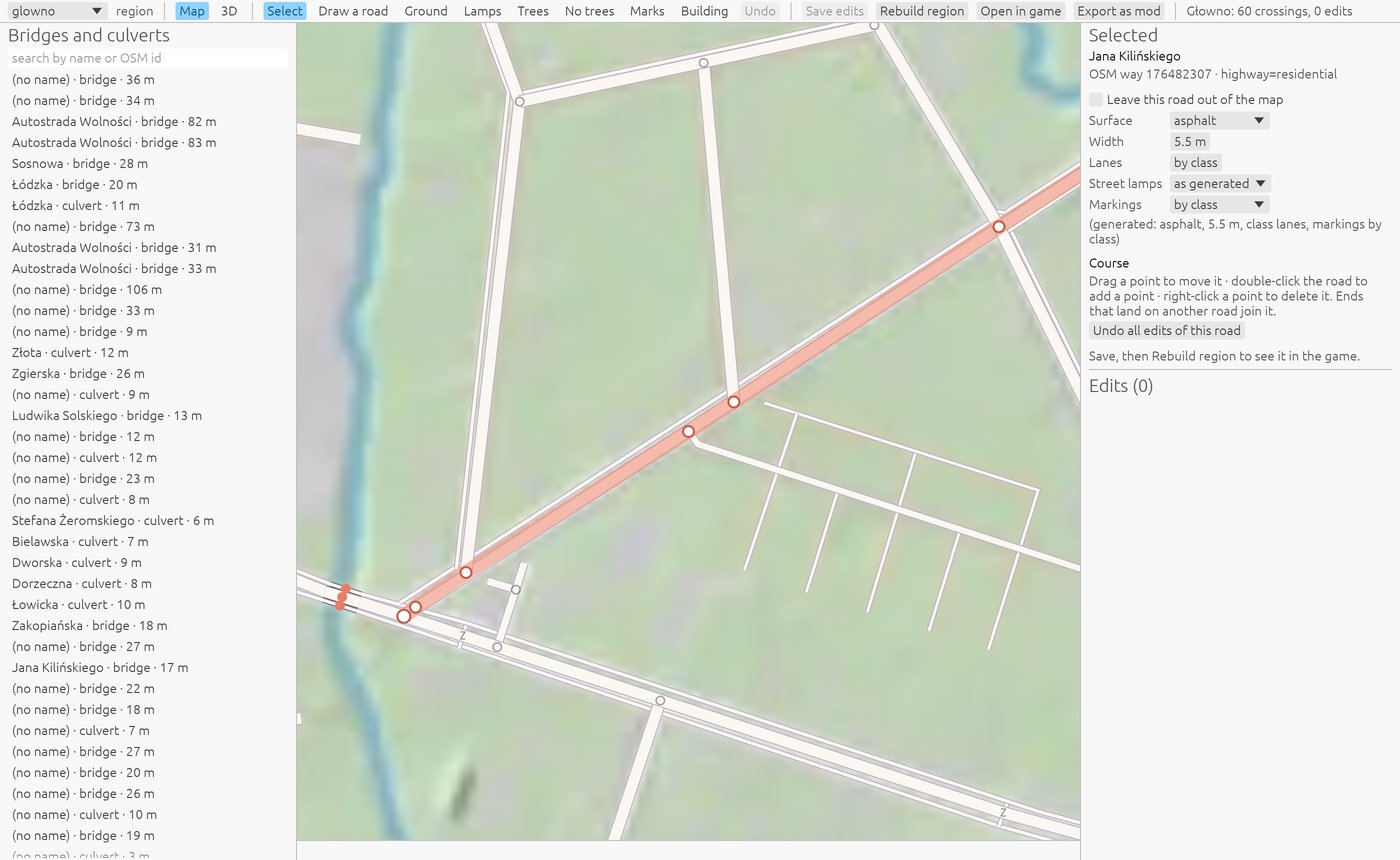
Select a road to change its surface, width, lanes, markings and street lamps, or leave it out of the map altogether. Bridge decides whether it's a bridge with a deck or on the ground (a road on fill between its ends): the generator builds a bridge with nothing under it, such as one over a tunnel's entrance, on the ground, and this puts it back, or puts any other bridge on the ground. Its points show on the map: drag one to move it, double-click the road to add one, right-click a point to delete it. Ends that land on another road join it. Draw a road adds a new one.
Junctions
Where roads meet, the map shows a dot. Select it to set its corners' radius (0 for square corners; the panel says what the generator chose, by the lesser road) and One surface: on by default, the roads there are joined into one piece of asphalt, with no seams where their ribbons meet, the edge lines stopping at each road's mouth; off, each road is its own ribbon, laid one over the other as before (for a junction that looks wrong joined). A roundabout and the roads into it are one junction.
Bridges and culverts
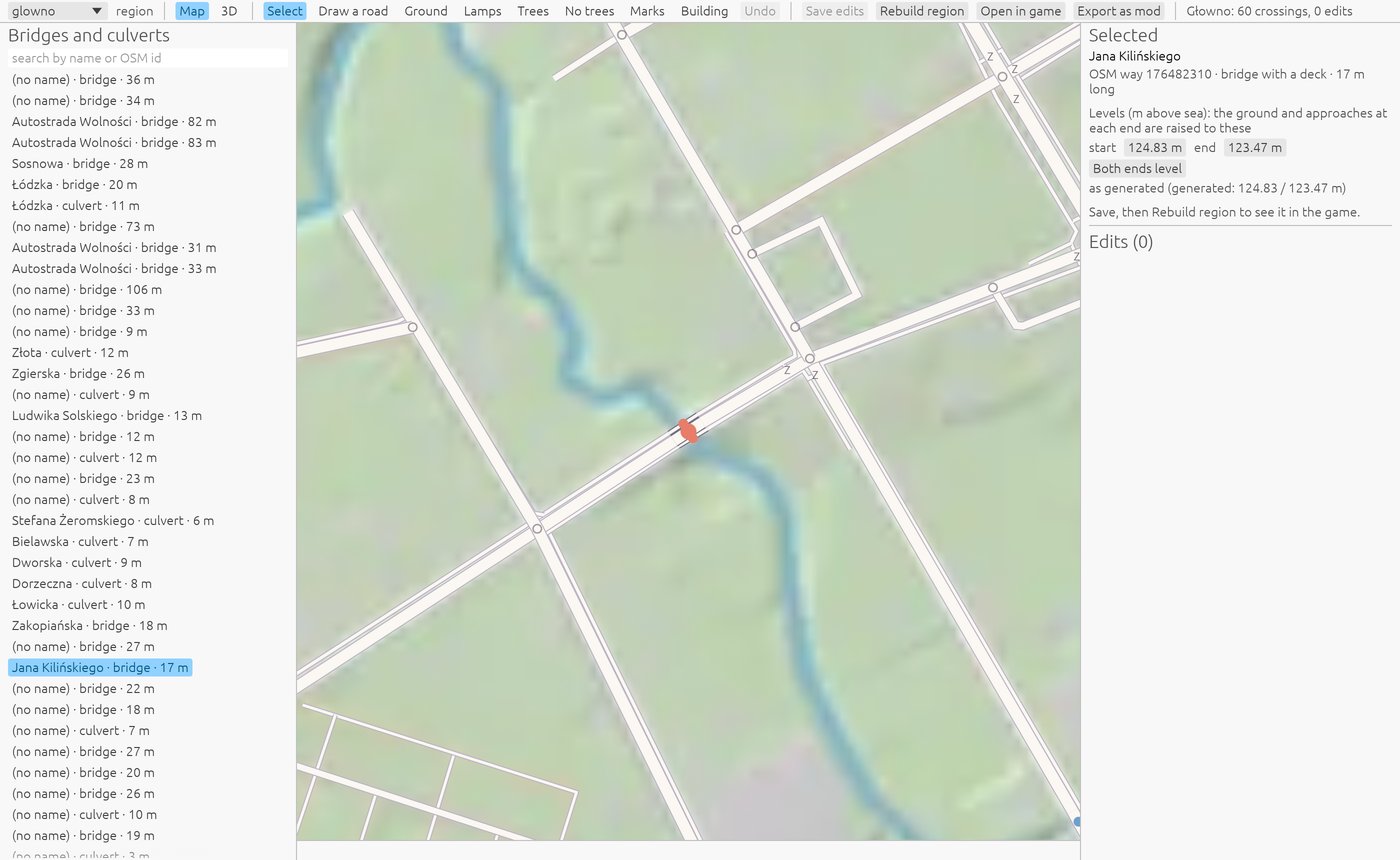
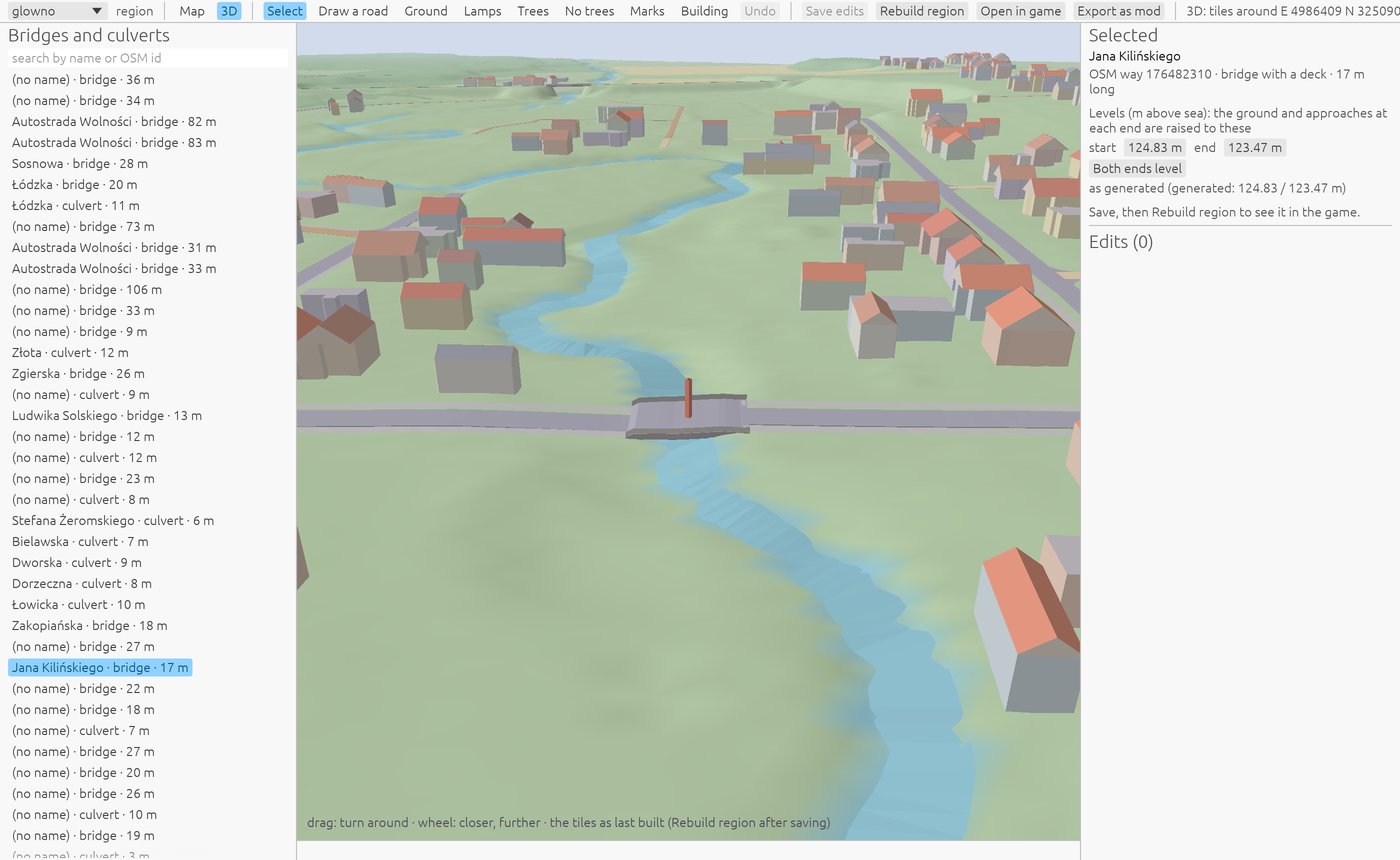
A bridge's ends meet the road at the heights the generator found; where the data's wrong (a bridge that sags, a ramp that's too steep), set them by hand, or make both ends level.
Building, then playing
Your edits are saved with Save edits into regions/<place>/edits.geojson. Rebuild region runs the generator over the place with your edits, a minute or two for a town; the map and the 3D view then show the result.
To play it, Export as mod packs the place into build/mods/<place>.zip and Install mod copies it into the game's mods folder (Documents/Nowhere in Particular/mods). The game loads it at its next start; an edited Głowno stands in for the game's own (the Mods page in the settings says so, and switches it off again).
The mod tools
For cars, outfits, things placed in the world and scripts, the tools make the mod's folder, check it the way the game does, and pack it (what a mod can hold: Making mods):
sh
./nip-gen mod new my-mod --id my-mod --name "My mod" --author "You" --script
./nip-gen mod add-vehicle my-mod path/to/model.glb --key my-car --like sedan
./nip-gen mod check my-mod
./nip-gen mod pack my-mod
./nip-gen mod install build/mods/my-mod-1.0.0.zip
On Windows, nip-gen.cmd in place of ./nip-gen. add-vehicle copies the model (and its textures) and starts its numbers from one of the game's cars (--like: explorer, sedan, hot-hatch, van, wagon, pickup, ev), for you to tune in its vehicle.json. check says what the game would refuse, and why, before you pack.